
Provide employers with access to downloadable payroll reports. Employers can select a report, configure parameters such as date range and filters, and download the results.
Available as:
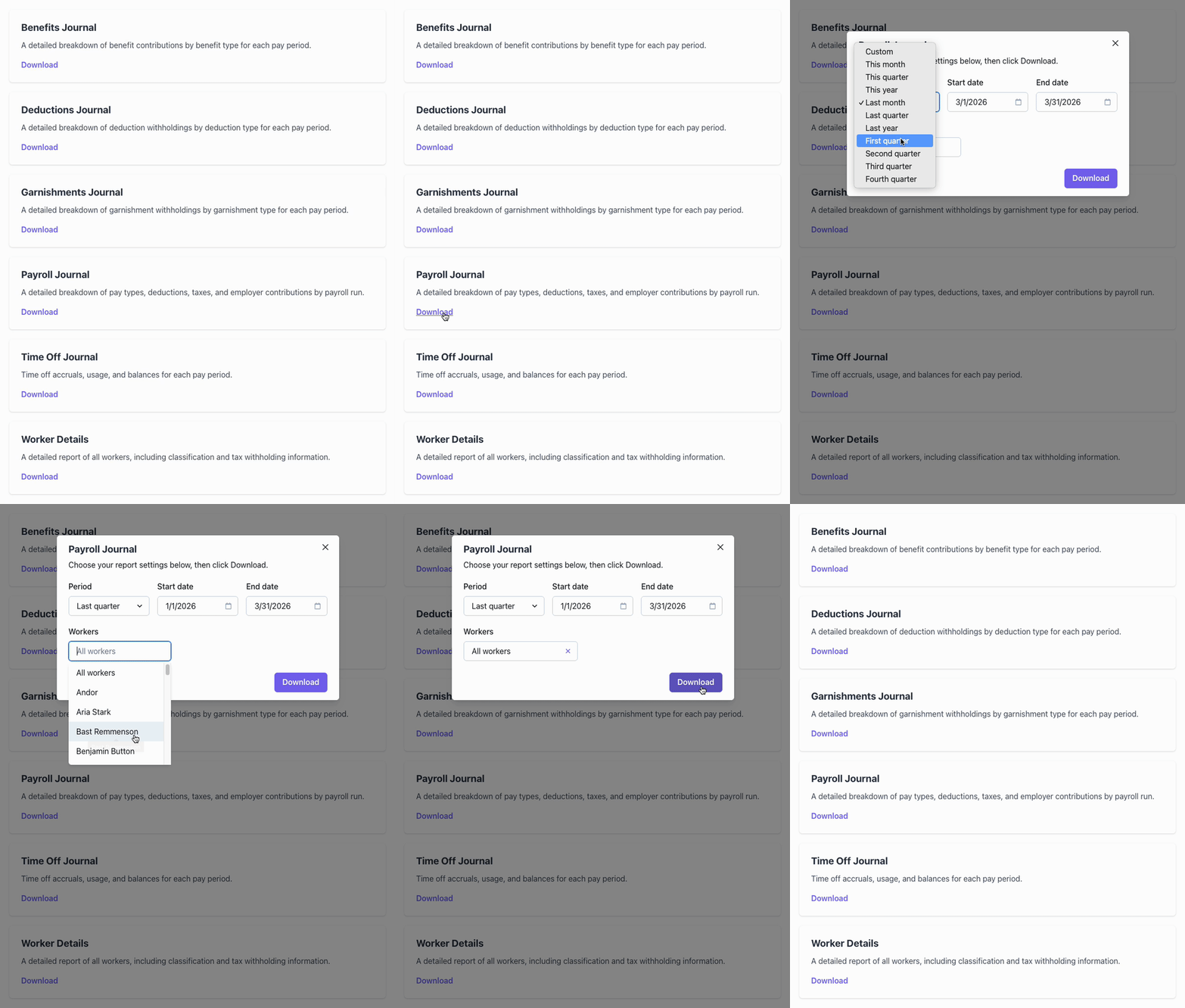
Employer reports experience
This employer facing experience provides employers with access to downloadable payroll reports. It presents a list of available reports as cards; selecting a report opens a modal where the employer can configure report parameters (such as date range and filters) and download the report.
Available reports include:
- Payroll Journal - Pay types, deductions, taxes, and employer contributions broken down by payroll run.
- Worker Details - All workers with classification and tax withholding information.
- Benefits Journal - Benefit contributions by benefit type for each pay period.
- Deductions Journal - Deduction withholdings by deduction type for each pay period.
- Garnishments Journal - Garnishment withholdings by garnishment type for each pay period.
- Time Off Journal - Time off accruals, usage, and balances for each pay period.
Options
| Name | Type | Description |
|---|---|---|
userToken | String | Required. A User Token with EMPLOYER_ADMIN or EMPLOYER_BASIC access role for the specified Employer. |
employerId | String | Required. The id of the Employer. |
includeReports | String[] | An array of the names of the reports which are to be included. If omitted, all reports will be included by default. Available reports are: benefits-journal, deductions-journal, garnishments-journal, payroll-journal, time-off-journal, and worker-details. |
Refer to the reference on creating elements for the additional options that are available to all elements.
Embedded usage
Element name: employer-reports
Refer to the guide on how to embed an Element with Salsa.js for more detailed instructions.
Example
salsa.elements.create('employer-reports', {
  userToken: 'eyJhbGciO...ajs0Wqw',
  employerId: 'er_e8343fc7-9d63-4cc5-81ed-c573fc666d37'
});